What is Pagination?
How to Handle Pagination with Custom APIs in Sheetfetch
Written By Richard
Last updated 6 months ago
What is Pagination?
Pagination is a technique used by APIs to split large datasets into smaller chunks (pages), instead of returning everything in a single request.
Example:
An API has 10,000 records
Each request returns 100 records
→ You need multiple requests to retrieve all data
Why is Pagination Important?
Prevents server overload
Improves response speed
Makes large datasets manageable
Required by most modern APIs (YouTube, Twitter, Stripe, etc.)
How Pagination Works in Sheetfetch
When you create a Connection and run a request for the first time, Sheetfetch will open:
👉 Response Field Mapping modal
Inside this modal:
Map your data using Results Path
Go to the Import Setting tab
Enable Pagination Sync
You’ll see settings like:
Strategy
Page Size
Parameters (cursor, offset, limit, etc.)
Next Page Path
Sheetfetch will automatically:
Send the first request
Parse the response
Fetch the next page based on your selected strategy
Repeat until all data is retrieved
4 Common Pagination Strategies in Sheetfetch
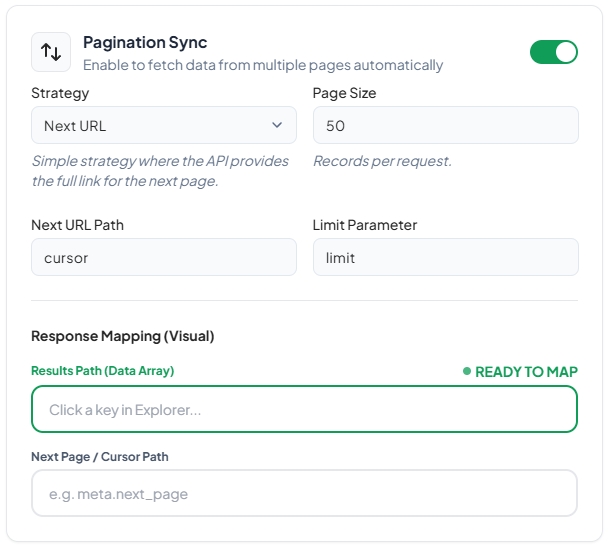
1. Next URL (Full URL Pagination)
When to use?
When the API returns a full URL for the next page
How it works:
{
 "data": [...],
 "next": "https://api.example.com/users?page=2"
}
Sheetfetch will:
Read the
nextfieldCall that URL directly
Configuration:
Strategy:
Next URLNext URL Path:
nextPage Size: optional
Example:
GET /users?page=1Response:
{
 "data": [...],
 "next": "https://api.example.com/users?page=2"
}
→ Sheetfetch automatically fetches page 2, 3, 4...
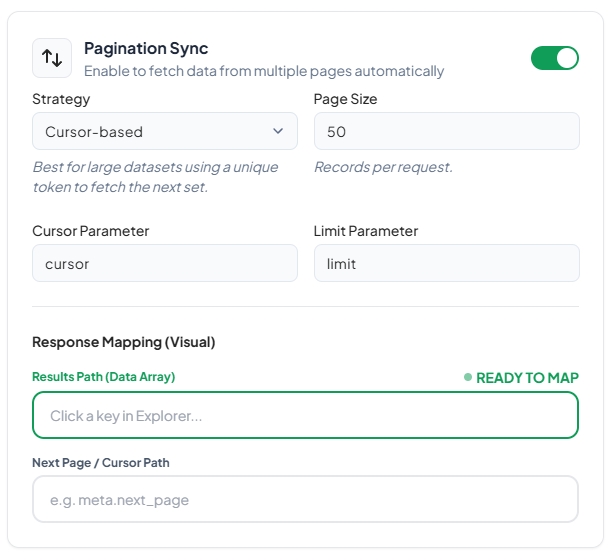
2. Cursor-based Pagination
When to use?
When the API uses a cursor or token to fetch the next page (very common in modern APIs)
How it works:
{
 "data": [...],
 "meta": {
 "next_cursor": "abc123"
 }
}
Next request:
GET /users?cursor=abc123Configuration:
Strategy:
Cursor-basedCursor Parameter:
cursorNext Page / Cursor Path:
meta.next_cursorLimit Parameter:
limitPage Size:
50
Example:
GET /users?limit=50Response:
{
 "data": [...],
 "meta": {
 "next_cursor": "xyz456"
 }
}
→ Sheetfetch will:
Extract
xyz456Call
/users?cursor=xyz456&limit=50
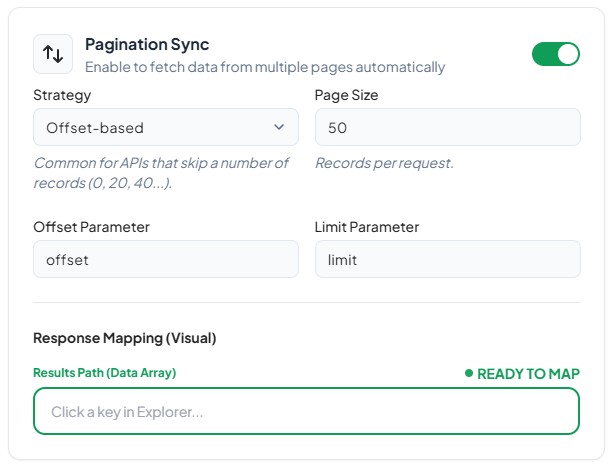
3. Offset-based Pagination
When to use?
When the API uses offset and limit
How it works:
GET /users?offset=0&limit=50
GET /users?offset=50&limit=50
GET /users?offset=100&limit=50
Configuration:
Strategy:
Offset-basedOffset Parameter:
offsetLimit Parameter:
limitPage Size:
50
Example:
Response:
{
 "data": [...]
}
→ Sheetfetch automatically increments:
offset = 0 → 50 → 100 → 150…
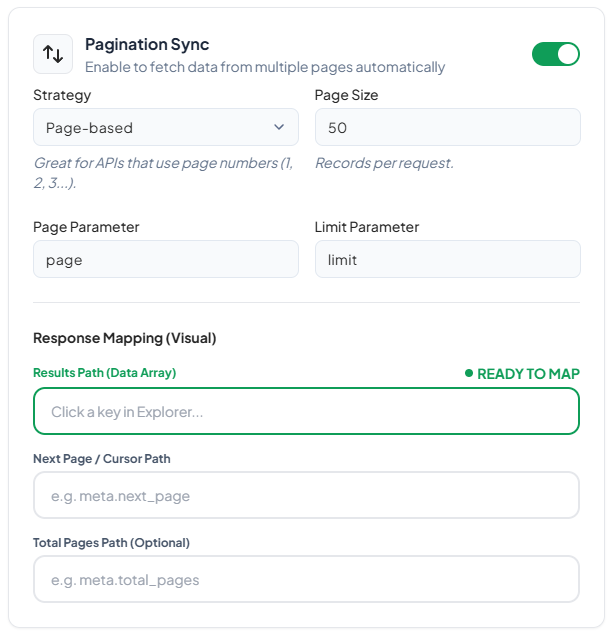
4. Page-based Pagination (Page Number)
(Not explicitly shown in the UI, but commonly supported via custom parameters)
When to use?
When the API uses page numbers:
GET /users?page=1
GET /users?page=2
GET /users?page=3
Configuration (custom):
Strategy: Offset-based or custom param
Parameter:
pagePage Size:
50
Example:
{
 "data": [...],
 "total_pages": 10
}
→ Sheetfetch increments:
page = 1 → 2 → 3…
Response Mapping (Important)
For all strategies, you need to configure:
1. Results Path (Data Array)
Example:
{
 "data": [...]
}
→ Results Path: data
2. Next Page / Cursor Path
Required for:
Next URL
Cursor-based
Example:
{
 "meta": {
 "next_cursor": "abc"
 }
}
→ Path: meta.next_cursor
Best Practices
Always set a reasonable
page size(20–100)Check API rate limits
Test with a few pages before running full sync
Prefer cursor-based pagination when available (more stable than offset)