What is cURL?
Written By Richard
Last updated 6 months ago
cURL (Client URL) is a command line tool used to send HTTP requests to APIs. It allows you to interact with any API endpoint by specifying things like:
URL (endpoint)
HTTP method (GET, POST, PUT, DELETE)
Headers (Authorization, Content-Type, etc.)
Query parameters
Request body (for POST/PUT)
A simple example:
curl https://api.example.com/usersA more advanced example:
curl -X POST https://api.example.com/users \
 -H "Authorization: Bearer YOUR_API_KEY" \
 -H "Content-Type: application/json" \
 -d '{"name":"John","email":"john@example.com"}'
Why cURL is useful
Many API providers give examples in cURL format because:
It is easy to copy and test
It shows all request details clearly
It works across all platforms
Using cURL in Sheetfetch
With Sheetfetch, you don’t need to manually configure API requests field by field.
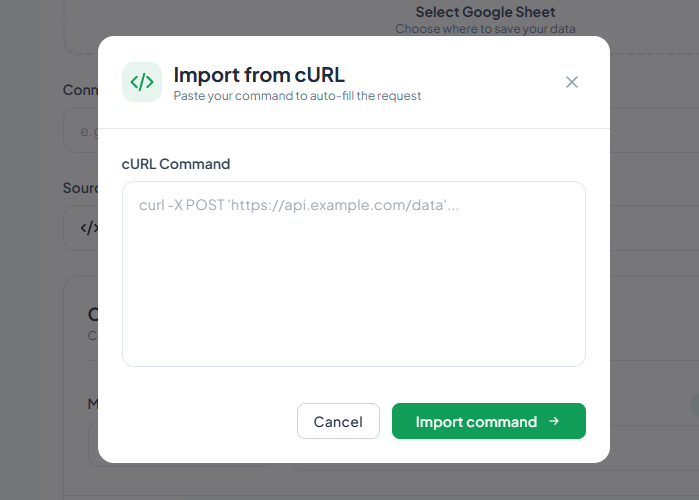
👉 Just paste your cURL command, and Sheetfetch will automatically extract and fill in all required fields for you.
How it works in Sheetfetch
Step 1: Paste your cURL
Example:
curl -X GET "https://api.example.com/users?page=1" \
 -H "Authorization: Bearer YOUR_API_KEY"
Step 2: Auto parsing
Sheetfetch will automatically detect and fill:
Request URL →
https://api.example.com/usersMethod → GET
Query Params →
page=1Headers → Authorization
Body → (if exists)
Step 3: Ready to run
You can immediately:
Test the request
Map response data to Google Sheets
Schedule or automate
Benefits of using cURL in Sheetfetch
1. No manual setup
You don’t need to:
Copy endpoint manually
Re-enter headers
Configure body by hand
2. Faster integration
Copy from API docs
Paste into Sheetfetch
Done in seconds
3. Reduce errors
Manual input often causes mistakes like:
Wrong headers
Missing parameters
Incorrect JSON format
cURL import eliminates those issues.
When should you use cURL?
Use cURL in Sheetfetch when:
API documentation provides cURL examples
You already tested an API using Postman or terminal
You want the fastest way to create a connection
Summary
cURL is a standard way to represent API requests.
With Sheetfetch, you can:
Paste any cURL command
Automatically generate the full API request
Skip complex setup entirely
👉 This makes API integration much faster, easier, and beginner-friendly.