How to Create an API from Google Sheets with Sheetfetch
Written By Richard
Last updated 6 months ago
Sheetfetch allows you to convert a Google Sheet into a REST API in just a few steps. This makes it easy to use spreadsheet data in websites, applications, or automations without building a backend.
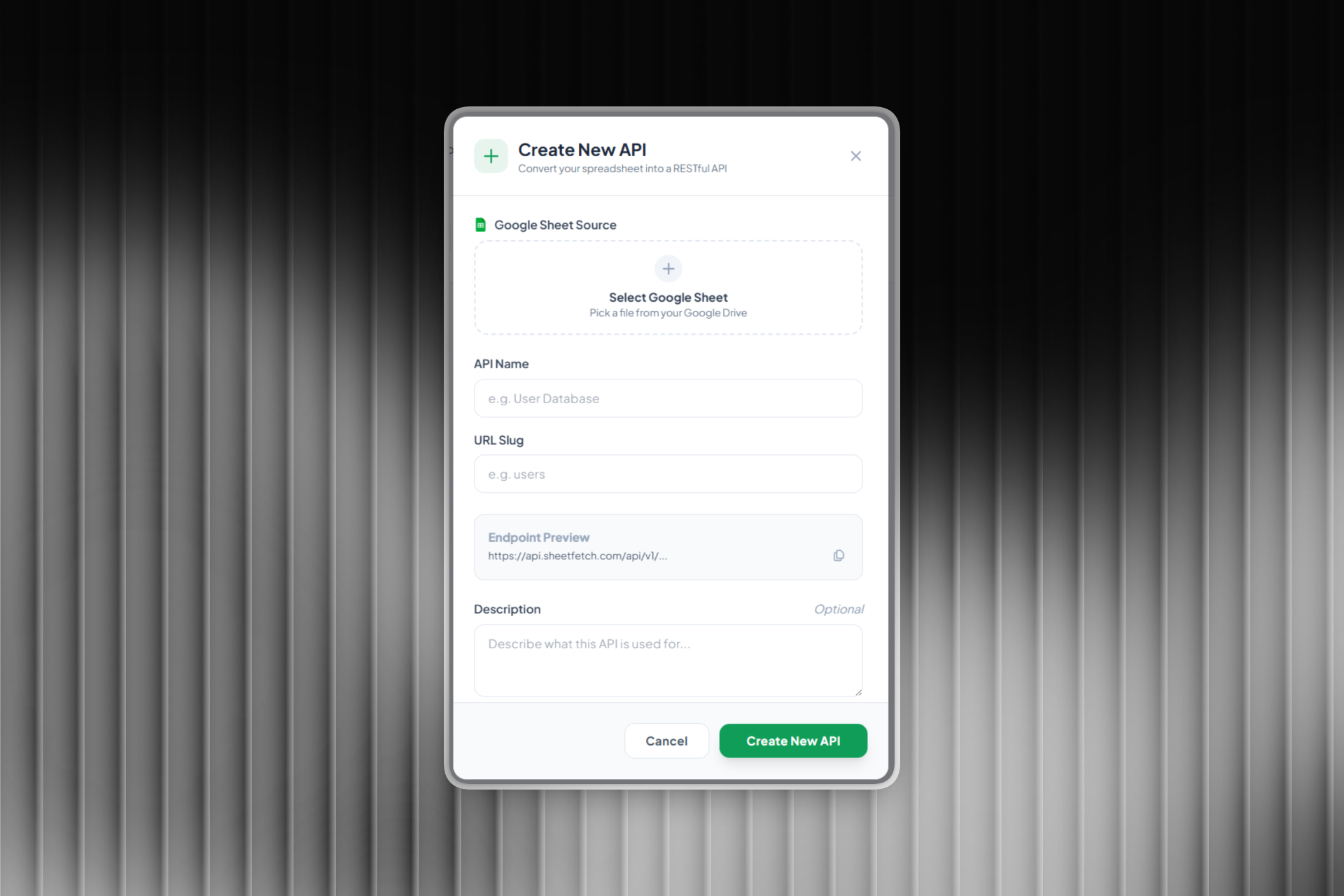
Step 1: Open Create New API
From the Sheetfetch dashboard, click Create New API.
A setup window will appear where you can configure your API.
Step 2: Select a Google Sheet
Under Google Sheet Source, click Select Google Sheet.
Then:
Choose a spreadsheet from your Google Drive
Select the sheet tab that contains the data you want to use
Sheetfetch will use this sheet as the data source for your API.
Step 3: Enter an API Name
In the API Name field, enter a name for your API.
Example names:
User Database
Product List
Leads Data
Blog Posts
This name helps you organize and manage multiple APIs.
Step 4: Create a URL Slug
In the URL Slug field, define the endpoint name.
Examples:
users
products
leads
posts
Your API endpoint will look like this:
https://api.sheetfetch.com/api/v1/users
Step 5: Check the Endpoint Preview
Sheetfetch automatically generates an Endpoint Preview so you can see the API URL before creating it.
This endpoint can be used to fetch data in:
Web applications
Backend services
Automation tools
Scripts and integrations
Step 6: Add a Description (Optional)
In the Description field, you can briefly describe what the API is used for.
Examples:
API for website users
Product catalog database
Marketing leads data
This helps you keep your APIs organized.
Step 7: Create the API
Click Create New API.
Sheetfetch will then:
Connect to your Google Sheet
Generate a REST API endpoint
Make your spreadsheet data accessible through an API
Example: Fetch Data from the API
JavaScript example:
fetch("https://api.sheetfetch.com/api/v1/users")
 .then(res => res.json())
 .then(data => console.log(data))
Curl example:
curl https://api.sheetfetch.com/api/v1/usersCommon Use Cases
APIs created with Sheetfetch can be used to:
Turn Google Sheets into a simple database
Build lightweight backends
Store form submissions
Manage product catalogs
Create directory websites
Power automation workflows
With just a few clicks, you can transform Google Sheets into a powerful REST API without writing backend code. 🚀