Schedule a Connection
Written By Richard
Last updated 7 months ago
The Schedule a Connection feature in Sheetfetch allows you to automate how and when your connections run. Instead of triggering them manually, you can set up a schedule so your data syncs automatically at the desired time.
This feature requires a paid Sheetfetch plan.
Overview
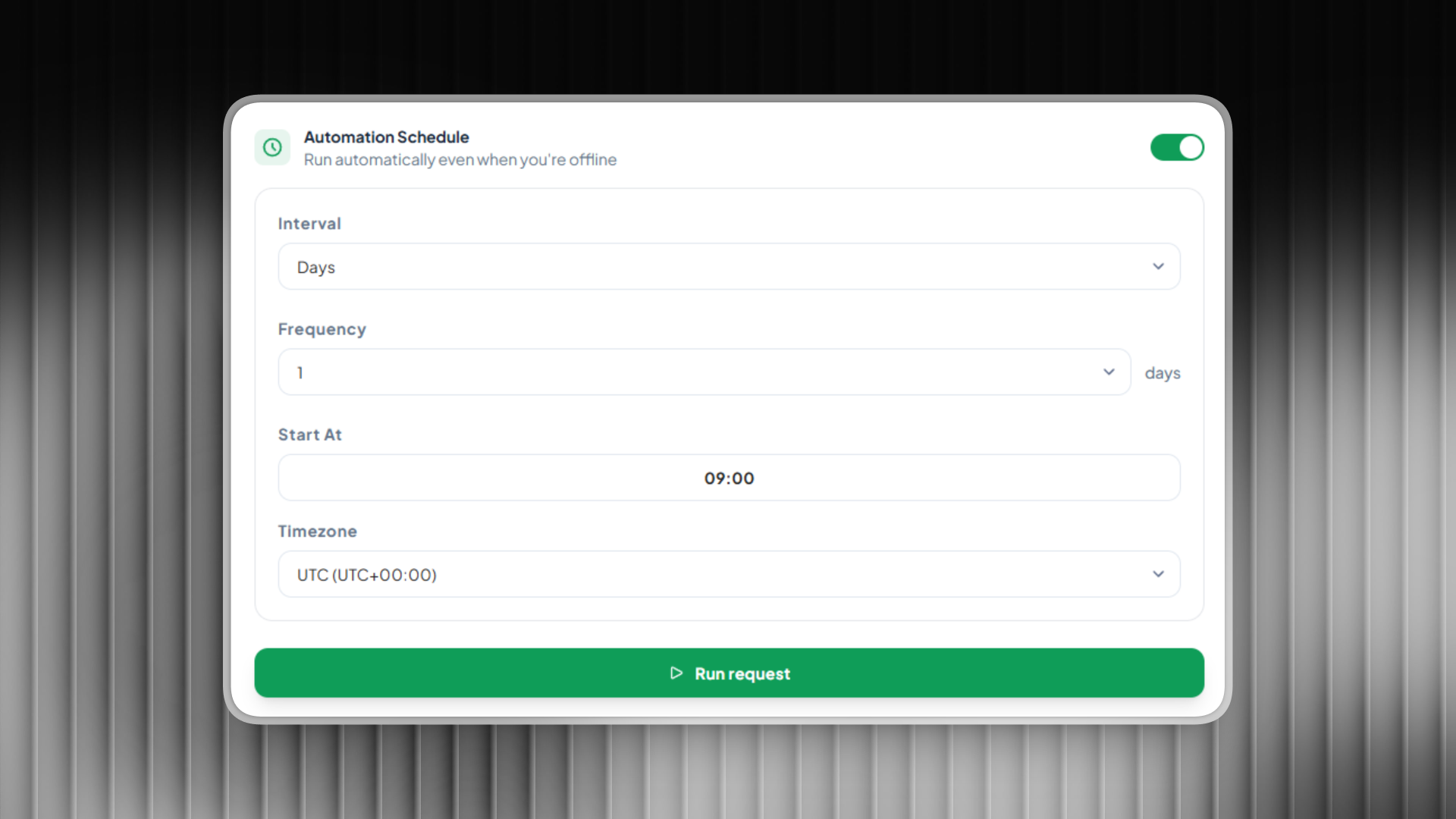
When creating a connection, you’ll see a Schedule section where you can configure automatic execution. Once set up and saved, Sheetfetch will run the connection based on your defined schedule.
Configuration Options
1. Interval
Defines the time unit for the schedule:
Minutes
Hours
Days
Weeks
2. Frequency
Determines how often the connection runs based on the selected interval.
Examples:
Interval: Minutes + Frequency: 5 → runs every 5 minutes
Interval: Days + Frequency: 1 → runs daily
3. Start At
The exact date and time when the schedule begins.
You can set:
A specific date
A specific time
4. Timezone
Select your timezone to ensure the schedule runs at the correct local time.
Weekly Scheduling
When Interval = Weeks, an additional option becomes available:
Occurrence
Lets you choose specific days of the week to run the connection:
Monday
Tuesday
Wednesday
...
Examples:
Run every Monday, Wednesday, and Friday
Run only on weekends
How It Works
After you:
Configure the schedule
Save your settings
Sheetfetch will:
Automatically trigger the connection at the scheduled times
Eliminate the need for manual execution
Keep your data consistently up to date
Use Cases
Sync data from an API every 10 minutes
Update reports daily at 8:00 AM
Fetch marketing data every Monday and Thursday
Benefits
Fully automated workflows
Time saving
Flexible scheduling options
Covers nearly all scheduling needs
Conclusion
With Schedule a Connection, Sheetfetch gives you powerful and flexible scheduling controls. Whether you need minute based syncs or specific weekly runs, you can easily configure everything to match your workflow and automate your data pipeline effortlessly.
Was this helpful?
Still need help? Ask the team