How to Create a Connection in Sheetfetch
Written By Richard
Last updated 6 months ago
To start syncing and automatically updating data into Google Sheets, the first step is to create a Connection in Sheetfetch. A connection allows you to link data from various sources such as APIs, databases, files, or third party services.
Below is a step by step guide to creating a connection in Sheetfetch.
Step 1: Sign in to Sheetfetch
Go to the website of Sheetfetch and sign in to your account. After logging in successfully, you will be taken to the Dashboard.
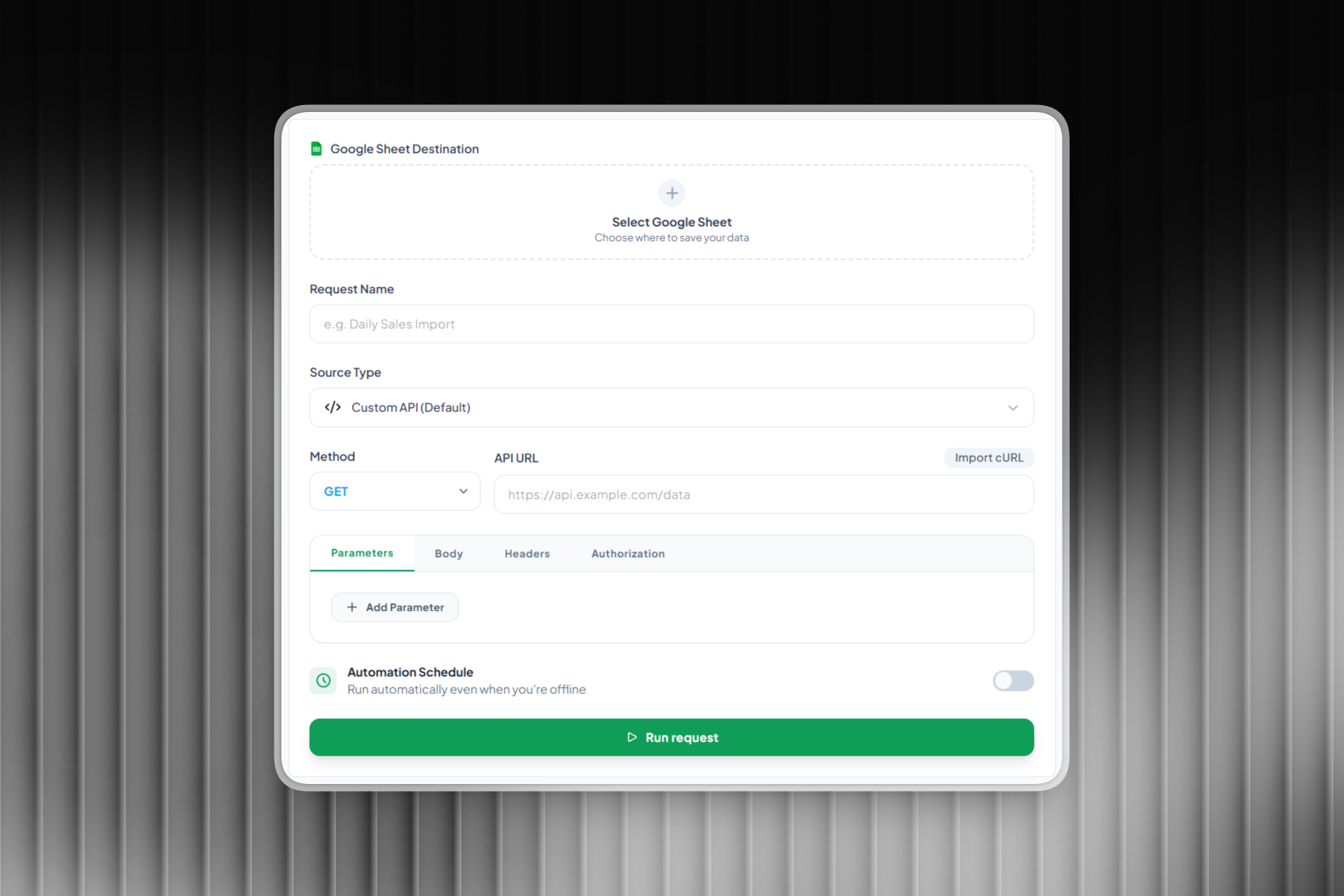
Step 2: Create a new connection
From the Dashboard:
Click the Create new connection button
Select the data source you want to connect
Sheetfetch supports multiple types of data sources, including:
API (REST API)
Databases such as MySQL or MongoDB
CSV or JSON files
Google services
Other data sources
Choose the data source that matches your needs.
Step 3: Configure the connection details
After selecting the data source, you need to enter the required information to establish the connection.
For example:
If connecting to an API
API URL
Method (GET, POST, etc.)
Headers
Query parameters
If connecting to a database
Host
Port
Database name
Username
Password
Sheetfetch will use this information to access and retrieve data from your data source.
Step 4: Run the request
Once you have entered all the required details, click Run request to send the request and fetch data from your source.
If the request is successful, you will see a preview of the returned data so you can verify it before importing it into Google Sheets.
Step 5: Save and import data
Finally, click Save & Import data to save the connection and import the data into Google Sheets.
After creating the connection, it will appear in your Connections list, where you can:
Edit the configuration
Run the request again
Sync data with Google Sheets
Schedule automatic runs (for example every 1, 2, 3, 4, or 5 minutes)
Conclusion
Connections are a core part of Sheetfetch because they allow you to integrate and manage data from multiple sources. Once a connection is created, you can easily sync data to Google Sheets and automate your data workflows without writing any code.